Import Raw Data
The /sessions endpoint can be used to import raw data directly into a Condens session, including Information Fields, notes and media recordings. View the guide on Information Fields to learn more about creating and modifying Information Fields. This guide focuses on importing notes and media recordings.
The current version of the API supports importing notes and media recordings only. They cannot be read or exported using the API.
Import Note
The POST and PATCH methods on the /sessions endpoint accept an optional note parameter in the request body with the following properties:
| Property | Description |
|---|---|
type |
String representing the note format: plain, html or markdown. |
content |
Note content as a string in the specified format. |
The plain type can be used to import unformatted text. The html and markdown types support the following formatting options:
-
Headings (h1-h3)
-
Paragraph
-
Bold
-
Italic
-
Link
-
Line break
-
Horizontal rule
-
Blockquote
Here’s a sample POST request body for creating a session with a formatted note:
{
  "name": "Imported Session",
  "projectId": "W8f7tq3yR2HbEoGkV1nD",
  "note": {
    "content": "<h1>Heading Level 1</h1>\n<h2>Heading Level 2</h2>\n<h3>Heading Level 3</h3>\n<p>This is a <strong>bold</strong> word, this is <em>italic</em>, and this is a <a href=\"https://example.com\">link</a>.</p>\n<p>This is a paragraph<br>with a line break.</p>\n<blockquote><p>This is a blockquote paragraph.</p></blockquote>\n<hr>",
    "type": "html"
  }
}
{
  "name": "Imported Session",
  "projectId": "W8f7tq3yR2HbEoGkV1nD",
  "note": {
    "content": "# Heading Level 1\n## Heading Level 2\n### Heading Level 3\n\nThis is a **bold** word, this is *italic*, and this is a [link](https://example.com).\n\nThis is a paragraph  \nwith a line break.\n\n> This is a blockquote paragraph.\n\n---",
    "type": "markdown"
  }
}
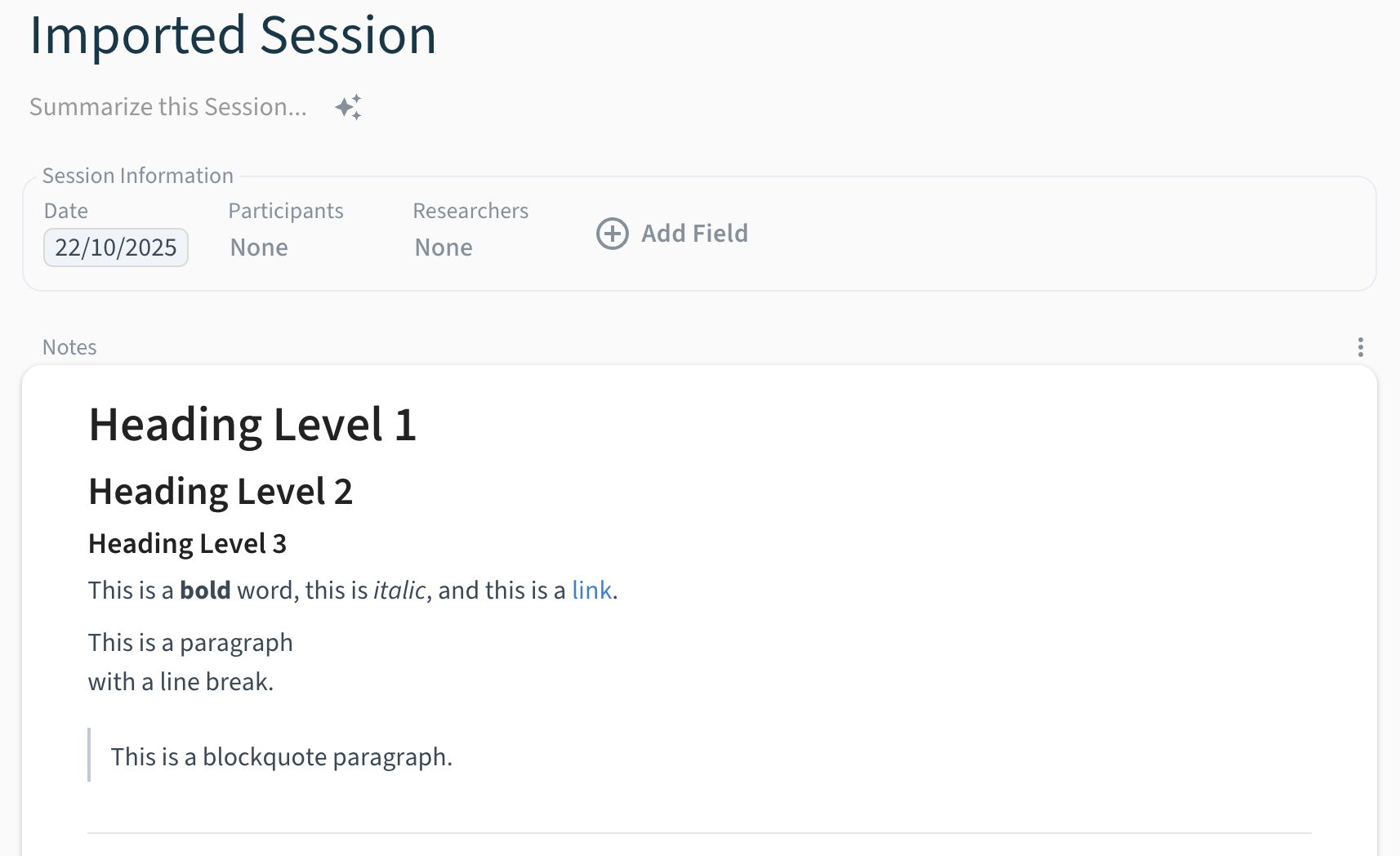
When updating an existing session with PATCH , the supplied note or media will be added as a new section in the session.
Import Media Recording
The POST and PATCH methods on the /sessions endpoint can also accept an optional media parameter in the request body with the following properties:
| Property | Description |
|---|---|
name |
Name of the media recording. |
sourceUrl |
URL of the media recording. |
sourceAuth |
Optional credentials (API token or key) for accessing the source. |
transcription |
Optionally queue transcription for the media recording. |
anonymization |
Optionally queue anonymization for the media recording. |
The Condens API server downloads the media recording from the sourceUrl on your behalf. A separate copy of the media recording is stored securely with your Condens data.
Authorize Source Access
If the sourceUrl is not publicly accessible or requires authentication, provide the sourceAuth parameter with the necessary credentials. The API supports bearer token and x-api-key authorization types.
Adds header Authorization: Bearer <token>
{
  "type": "bearer",
  "token": "<token>"
}
Adds header x-api-key: <key>
{
  "type": "apiKey",
  "key": "<key>"
}
Authorization headers are stripped during cross-host redirects to prevent credential leaks.
Transcribe Media Recording
To queue transcription for the imported media recording, include the optional transcription parameter with the following properties:
| Property | Description |
|---|---|
languages |
Array of languages spoken in the media recording. When specifying multiple languages, refer to the transcription settings in Condens to check which combinations are supported. |
numberOfSpeakers |
Number of speakers in the media recording. If omitted, the number of speakers is detected automatically. |
generateBookmarks |
Boolean indicating whether to generate bookmarks from the transcription. |
Anonymize Media Recording
To queue anonymization for the imported media recording, include the optional anonymization parameter with the following properties:
blurMode |
Type of blur to apply. Either faces to blur only faces or video to blur the entire video. Defaults to video. |
anonymizeAudio |
Boolean specifying whether to anonymize the audio. |
Add Additional Sections
To add additional sections to the same Session, make use of the PATCH method on the /sessions endpoint with an existing Session ID to supply a note / media parameter which will then be added as new note / media sections in the same Session.
View the API Reference for detailed request shapes, property types and default values.